If you’re wondering whether a Google Maps API key is free, the short answer is yes, but there are important conditions to understand.
Google Maps API is no longer completely “free” in the traditional sense. Google now requires billing to be enabled for all projects, even if your usage stays within the monthly free credit.
As a result, small businesses often feel confused when setting up WordPress, Shopify or custom-built websites.
Let’s break it down clearly.
Is Google Maps API Free?
The Google Maps API key is free to create, but using Google Maps services requires:
- A Google Cloud project
- Billing enabled
- A valid payment method
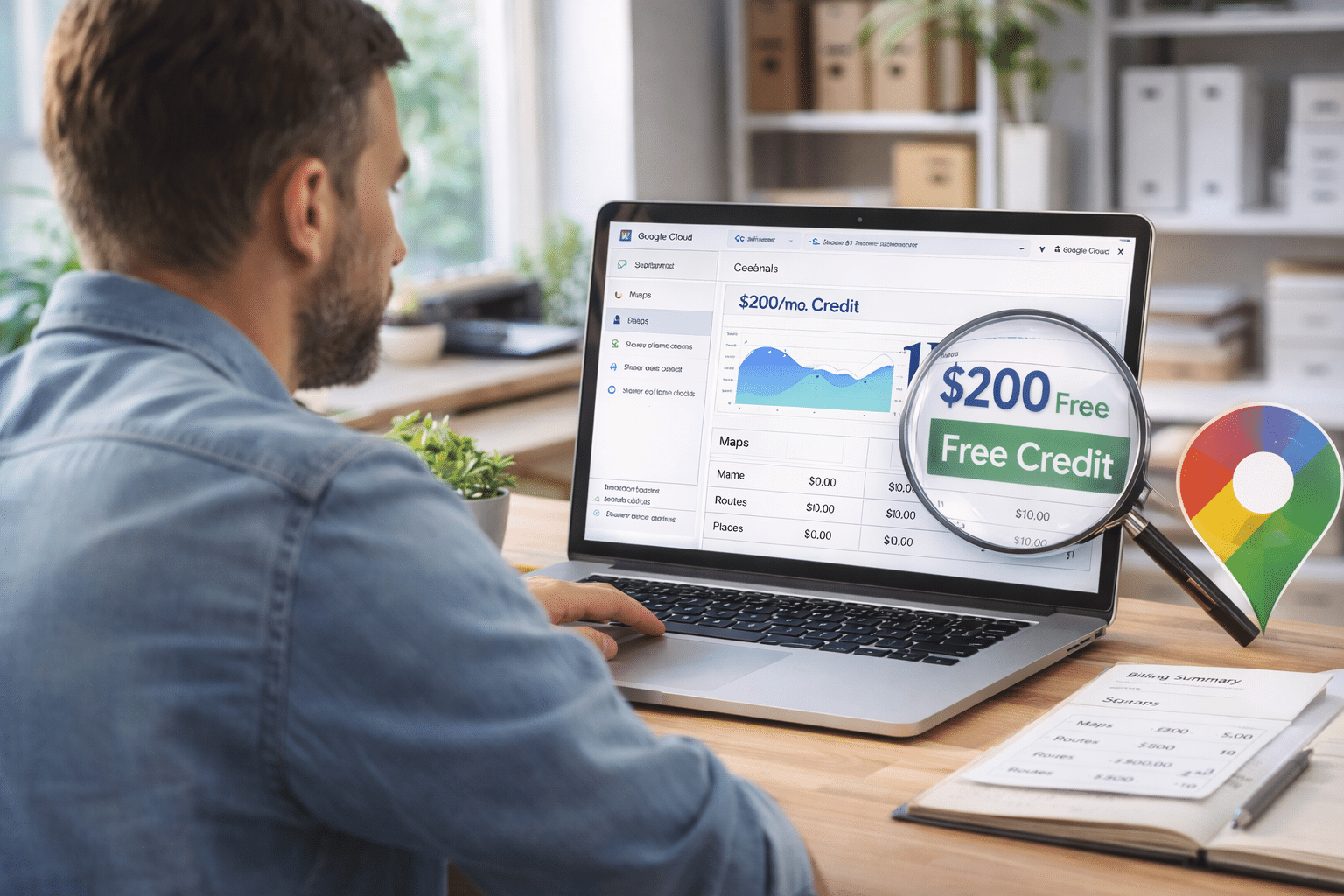
In other words, while the key itself costs nothing to generate, usage operates under a billing structure. Google provides a monthly free credit, and most small business websites fall well within it.
Importantly, billing must still be active, even if you never exceed the free allowance.
What Is the Monthly Free Credit?
Google currently provides a recurring monthly credit (historically USD $200) that offsets usage across Maps Platform APIs.
For many businesses, this means:
- Standard embedded maps are effectively free.
- Low-traffic contact pages usually remain free.
- Basic store locators fall within the credit.
Charges usually only apply when:
- Traffic is very high
- Advanced APIs are used
- Multiple map loads per visit occur
- Enterprise-scale location services are implemented
Check our official pricing details here.
When Do Charges Apply?
Typically, charges begin when your usage exceeds the free monthly credit.
For instance, businesses may incur costs in the following scenarios:
- High-volume ecommerce stores
- National franchise location finders
- Real estate portals with dynamic maps
- Applications making heavy geocoding requests
- Websites loading maps repeatedly across pages
That said, for most small business websites in Australia, unexpected charges are uncommon, provided the API key is correctly restricted and monitored.
Why Does Google Require a Credit Card?
To clarify, Google requires a payment method because:
- It prevents abuse of the platform
- It supports scalable usage
- It ensures billing continuity if limits are exceeded
Even if you remain within the free tier, a valid billing account must be attached.
This is often where businesses see the error:
“This page can’t load Google Maps correctly.”
In most cases, this message appears because billing is not enabled.
If you’re unsure where your key is located, see our guide:
→ How to Find Your Google Maps API Key
Can I Use Google Maps Without Billing Enabled?
Unfortunately not. Since Google’s 2018 pricing changes, billing must be enabled for all Maps Platform APIs.
Even if your total usage is $0 for the month, the billing account must still exist.
If billing is disabled:
- Maps may fail to load
- APIs may return errors
- Your website may show warning overlays
This affects WordPress themes, Shopify embeds and custom builds equally.
How Do I Monitor Usage?
To monitor usage, log in to Google Cloud Console.
From there, navigate to Billing → Reports, or, APIs & Services → Dashboard
You can view:
- Request volume
- Which APIs are being used
- Daily usage trends
- Estimated monthly cost
For most small businesses, reviewing this once per quarter is sufficient.
For higher-traffic sites, monthly monitoring is recommended.
Is Google Maps Expensive for Small Businesses?
Generally speaking, Google Maps is not expensive for small businesses.
For typical small business websites:
- Contact page maps
- Single-location businesses
- Standard embedded maps
Usage rarely exceeds the free credit.
However, problems usually occur when:
- API keys are unrestricted
- Keys are exposed publicly without domain restrictions
- Third-party tools consume the API repeatedly
- Developers implement inefficient map loading
Therefore, cost issues are typically configuration problems rather than pricing problems.
WordPress and Shopify Considerations
WordPress
Many themes and page builders require a Google Maps API key. Some plugins may:
- Load the map multiple times
- Call unnecessary APIs
- Conflict with caching systems
Proper setup ensures:
- Billing stays predictable
- API usage stays within limits
- Security restrictions are applied
Shopify
Custom themes may embed the key directly in code.
If restrictions are misconfigured or domains change, errors can appear even when billing is active.
Practical Business Advice
If you’re a small business owner considering implementing Google Maps:
- Enable billing correctly
- Apply domain restrictions
- Activate only the required APIs
- Monitor usage initially
- Avoid copying API keys between unrelated projects
This keeps usage secure and predictable.
When to Seek Professional Setup
Most cost concerns come from uncertainty.
If you would prefer professional support, our team can assist with:
- Setting up Google Cloud correctly
- Enabling secure billing
- Restricting API keys properly
- Monitoring usage
- Integrating Maps safely into WordPress, Shopify and custom builds
Our Brisbane-based digital team can diagnose and resolve technical issues as part of our broader digital services in Brisbane and Australia-wide. Book a call today.
Frequently Asked Questions
Where do I find my API key?
See our full guide: How to Find Your Google Maps API Key.
What is the monthly free credit?
Google provides a recurring monthly credit (historically USD $200) that offsets Maps API usage.
When do charges apply?
Charges apply once your usage exceeds the free credit or if advanced APIs generate higher request volumes.
Can I use Google Maps without billing enabled?
No. Billing must be enabled even if usage stays within the free tier.
How do I monitor usage?
Through Google Cloud Console under Billing Reports or APIs & Services Dashboard.
Why does Google require a credit card?
To validate accounts, prevent abuse and automatically process charges if usage exceeds free limits.
Unsure about Google Maps costs for your website? Speak to Arvo for transparent guidance and secure setup.