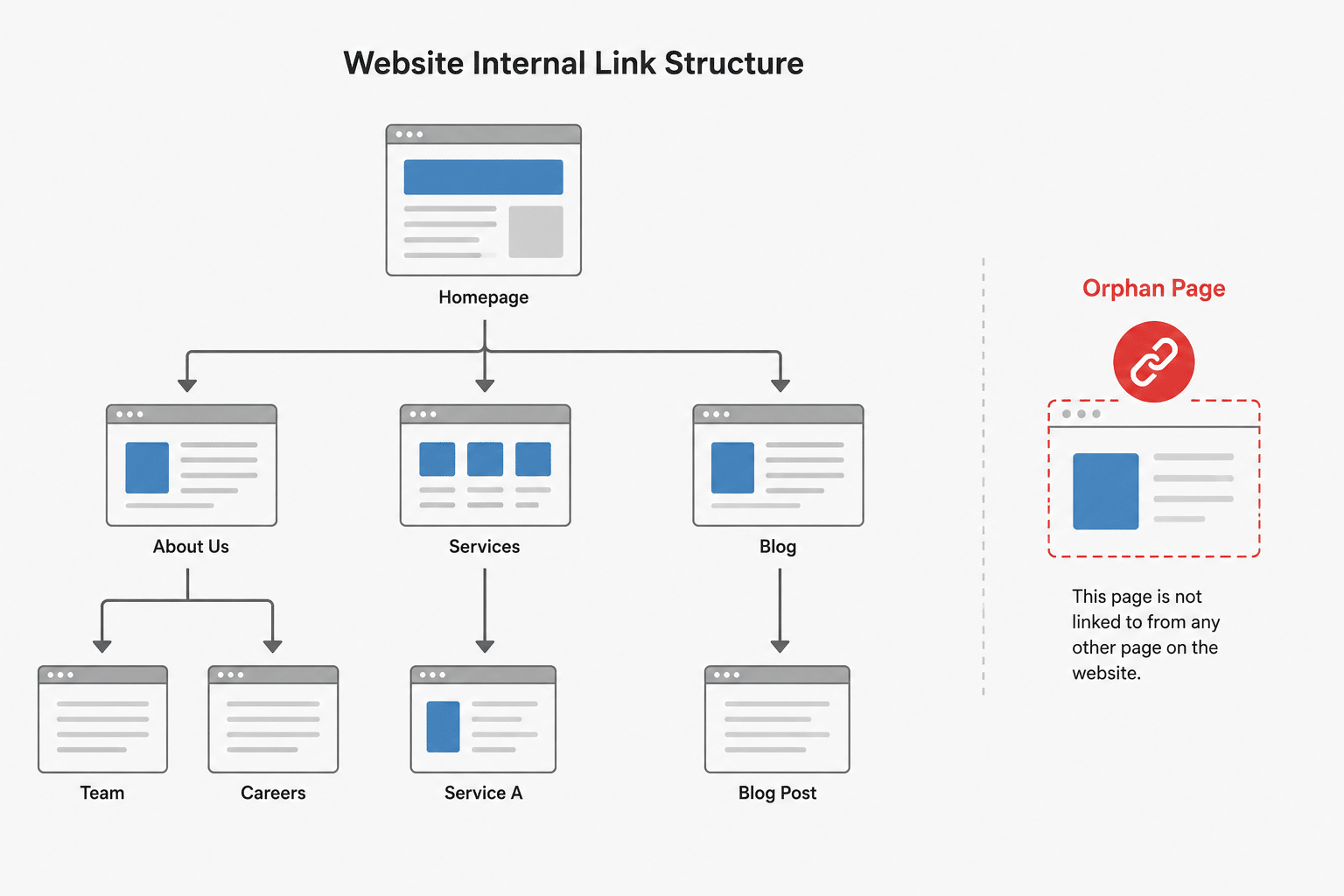
Most advice on fixing orphan pages stops at “add internal links to them.” That’s fine when you’re dealing with a handful of stray pages. It falls apart when the actual problem is a WordPress site with thousands of property listings, products, or portfolio entries sitting in the XML sitemap with nothing internal pointing to them. This is how we approach that version of the problem: building an HTML sitemap that fixes the orphan status without creating a new performance or duplicate-content issue in the process.
Key Takeaways
- An orphan page is indexable or crawlable via the XML sitemap but has no internal links pointing to it anywhere on the site, which weakens how Google reads its importance.
- A well-structured HTML sitemap fixes this by giving every page at least one real internal link, but dumping thousands of links onto a single page creates a server-side performance problem, not just a messy page.
- The fix at scale is caching plus pagination plus a lean, IDs-only database query, not a full-post-object query run fresh on every visit.
- Paginated sitemap pages beyond page 1 should be marked noindex, follow: crawlable so link equity still flows, but not competing for rankings as duplicate content.
- Structure the sitemap as an index page linking to one sub-page per content type, with reciprocal links back to the index, rather than one page listing everything.
What an orphan page actually is
An orphan page exists on the site, and is often sitting in the XML sitemap, but has no internal links from anywhere else on the site pointing to it. Google can technically still find it through the XML sitemap, but that’s a weak discovery signal on its own. Google crawls and weighs internally linked pages more reliably than pages it can only reach via a sitemap file, because internal links are one of the main ways it judges a page’s importance relative to the rest of the site.
The XML sitemap tells Google a page exists. It does nothing to tell Google the page matters.
Why “just link to it” breaks down at scale
For a handful of orphan pages, manually adding internal links is the right and complete fix. The problem shows up once a site has thousands of pages in a single content type: property listings, product variants, portfolio items. Manually linking each one isn’t realistic, and the standard alternative, a single HTML page listing every URL, causes a real technical problem once volume climbs into the thousands.
It’s tempting to assume that’s just a big page and browsers handle a few megabytes of HTML without issue, which is true. The actual bottleneck sits server-side. Generating that list means the CMS has to query the database for every one of those entries on every single page load. Without caching, that’s a slow, resource-heavy query on every visit, and a real risk of hitting PHP execution time or memory limits on standard hosting. This is why the fix needs to be built around caching, pagination, and a minimal-field query from the start, not bolted on after the page starts timing out.
Two ways to build an HTML sitemap, and when to use each
| Approach | Best for | Why |
| WP Sitemap Page plugin | Small sites, low-volume content types (a few hundred entries or fewer) | Zero code, fast to set up, but has no caching and its own documentation warns that generating a large sitemap will be slow |
| Custom WPCode shortcode | Large sites, or any single content type with thousands of entries | Full control over caching, pagination, and which fields get queried, avoiding the performance issues of dumping everything onto one page |
Most real sites end up using both: the plugin for smaller post types like pages, blog posts, and service categories, and the custom shortcode for the one or two content types that actually have volume, such as property or product listings.
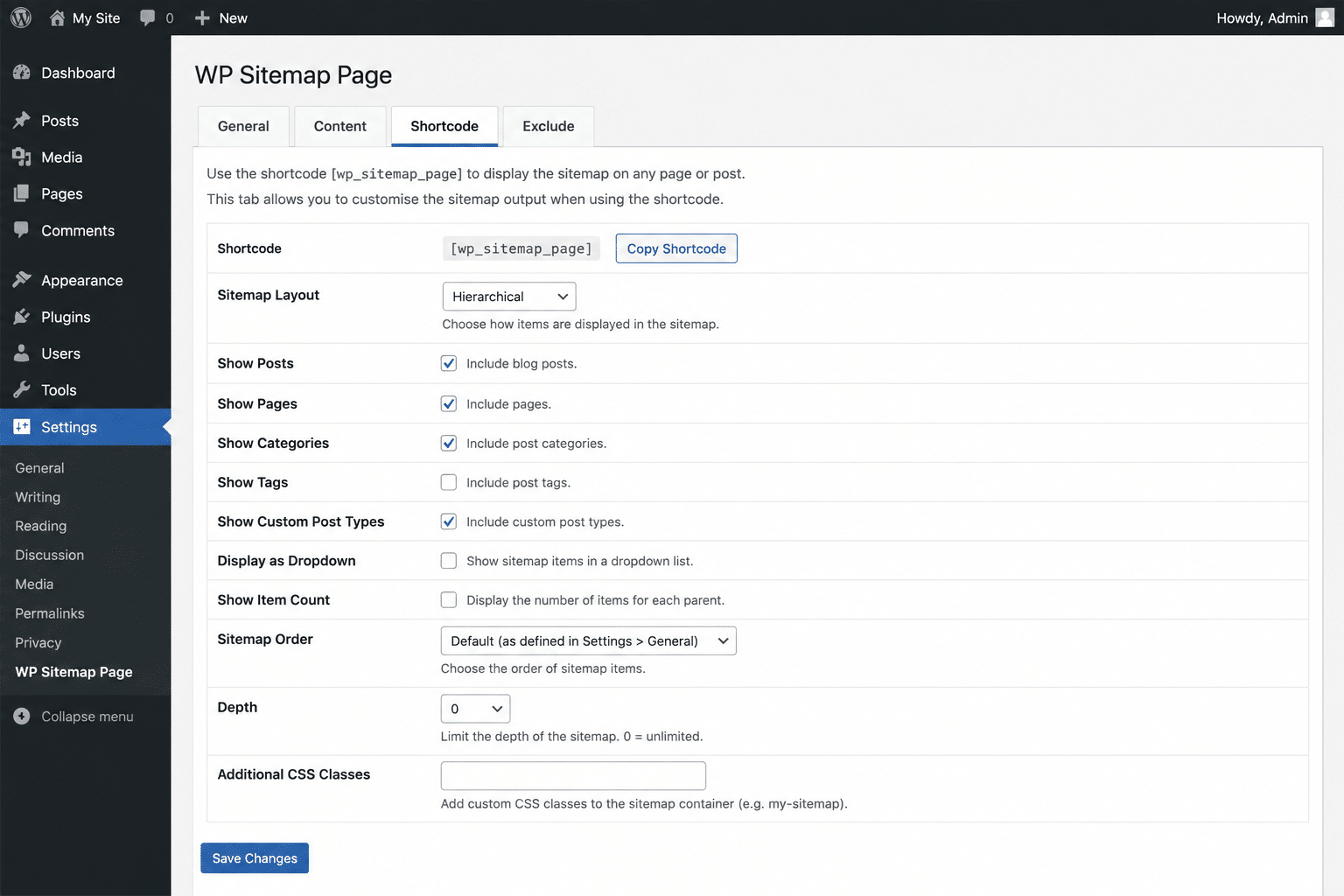
WP Sitemap Page plugin
Install the WP Sitemap Page plugin, then drop one shortcode per WordPress Page for each content type, using the type’s actual registered slug:
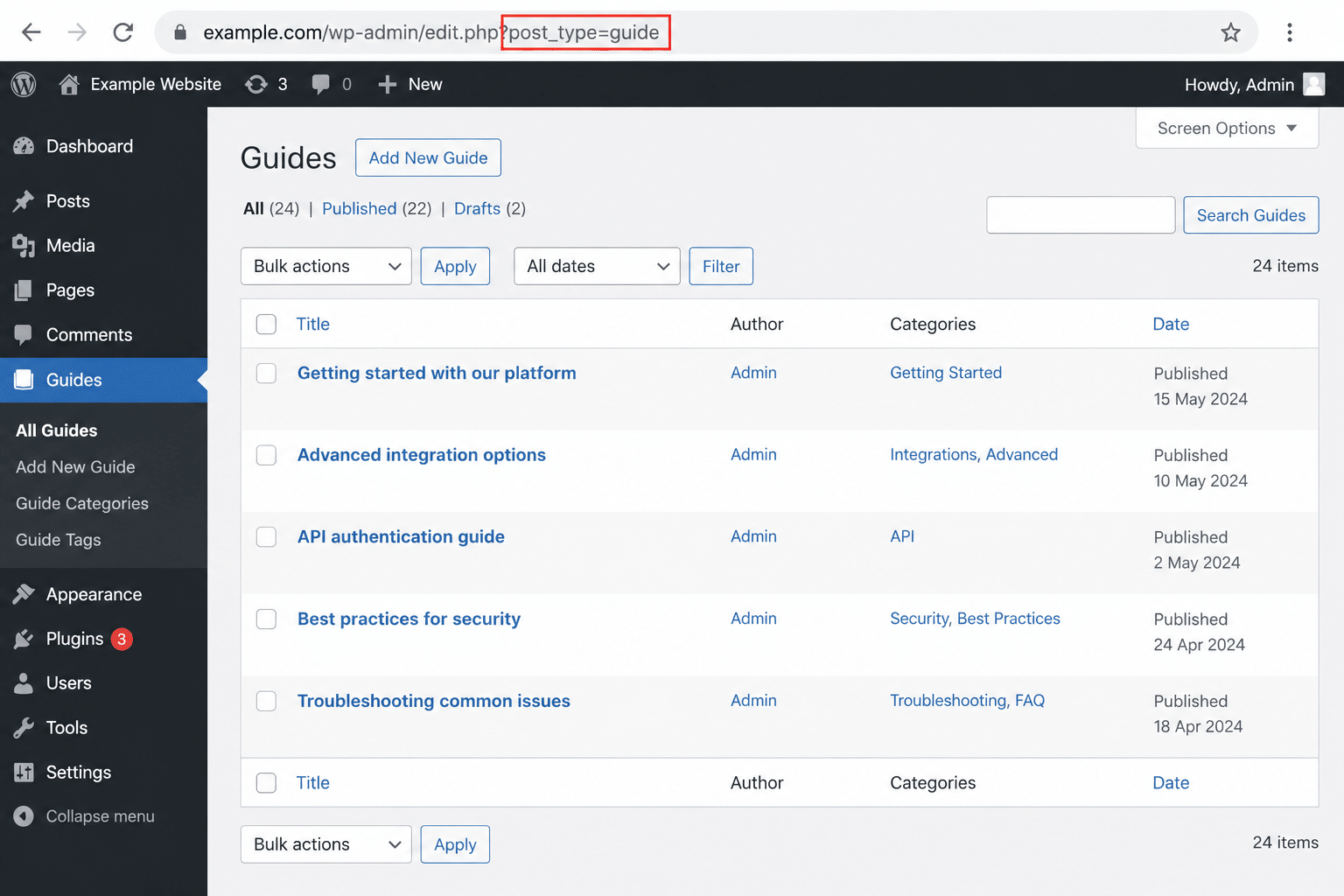
[wp_sitemap_page only="post"][wp_sitemap_page only="page"][wp_sitemap_page only="your-custom-post-type-slug"]The value passed to only has to be the post type’s registered slug, not the label shown in the admin menu, and not necessarily what the XML sitemap filename suggests. Yoast names sitemap files after the post type slug, but this can differ from what you’d guess just by looking at the menu. To confirm it, click the content type’s menu item in wp-admin and read the post_type= parameter in the resulting URL.
Custom WPCode shortcode
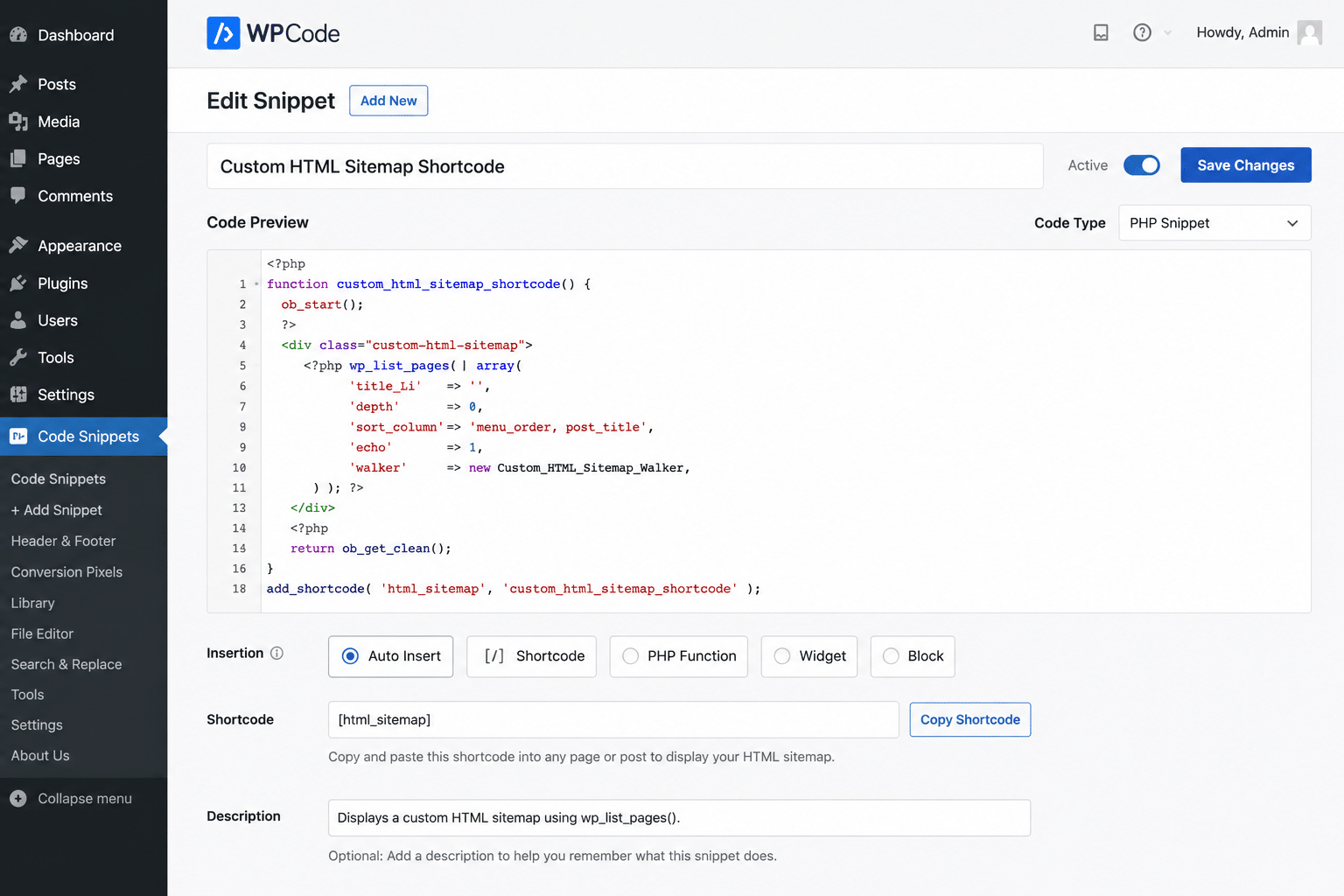
For content types running into the thousands, a self-contained PHP snippet deployed via WPCode registers a shortcode that queries IDs only, caches the result in a WordPress transient, paginates automatically past a configurable limit, and marks paginated pages beyond page 1 as noindex, follow.
Building the shortcode
The core of the snippet is a WP_Query that pulls IDs only, skips meta and taxonomy lookups it doesn’t need, and caches the result so the expensive query runs once per cache window rather than on every page view:
php
function html_sitemap_shortcode( $atts ) {

$atts = shortcode_atts( array(
'type' => 'post',
'per_page' => 200,
'cache' => 60, // minutes
), $atts, 'html_sitemap' );

$sitemap_post_type = sanitize_key( $atts['type'] );
$per_page = max( 1, (int) $atts['per_page'] );
$cache_minutes = max( 1, (int) $atts['cache'] );
$paged = isset( $_GET['sitemap_page'] ) ? max( 1, absint( $_GET['sitemap_page'] ) ) : 1;

if ( $paged > 1 && ! is_admin() ) {
add_filter( 'wpseo_robots', function() {
return 'noindex, follow';
} );
}

$cache_key = 'html_sitemap_' . $sitemap_post_type . '_' . $paged . '_' . $per_page;
$results = get_transient( $cache_key );

if ( false === $results ) {
$query = new WP_Query( array(
'post_type' => $sitemap_post_type,
'post_status' => 'publish',
'posts_per_page' => $per_page,
'paged' => $paged,
'orderby' => 'title',
'order' => 'ASC',
'update_post_meta_cache' => false,
'update_post_term_cache' => false,
'fields' => 'ids',
) );

$results = array(
'ids' => $query->posts,
'max_pages' => $query->max_num_pages,
'total' => $query->found_posts,
);

set_transient( $cache_key, $results, $cache_minutes * MINUTE_IN_SECONDS );
wp_reset_postdata();
}

// Output: list of links plus paginate_links(), full version in build notes.
return $results;
}
add_shortcode( 'html_sitemap', 'html_sitemap_shortcode' );
Three details matter more than they look. The cache key includes per_page, so changing that setting on the shortcode can’t accidentally serve results cached under the old value. The wpseo_robots filter only fires on paginated pages past page 1, keeping the actual sitemap entry point indexable. And the query asks for IDs only, with meta and term caching switched off, because permalink and title are all the loop needs, pulled lazily per row rather than upfront on the full post object.
Once deployed, add the shortcode to a Page per content type: [html_sitemap type=”property” per_page=”500″ cache=”120″].
For sites with genuinely low page counts across every content type, a simpler variant lists everything grouped by content type with no pagination at all. That’s only appropriate under a few hundred total pages; past that, use the paginated version per content type instead.
Choosing a per_page value
This is a trade-off, not a fixed number. Lower values mean lighter individual pages but more paginated hops between the indexable entry point and the deepest orphan pages. Higher values mean fewer hops and faster discovery, but heavier individual pages. For a content type in the thousands, starting around 300 to 500 per page and testing actual load time, first load uncached, then a reload to confirm the cache is being hit, is a reasonable starting point. A generous PHP memory or execution limit on the server means the page won’t hard-fail. It doesn’t mean the number is fast.
The SEO details that make or break this
Pagination and indexing. Every paginated page past page 1 inherits the same title and meta description as the parent Page, because most SEO plugins don’t treat a pagination query string as a separate object. Marking page 2 and beyond as noindex, follow avoids duplicate title and meta issues while still letting Google discover the linked pages through them. Page 1 of each sitemap stays indexable, since that’s the actual entry point.
Leave robots.txt alone. A robots.txt Disallow blocks crawling entirely. If Google can’t crawl the paginated pages, it never sees the noindex tag and never sees the links to the orphan pages, which defeats the entire purpose. Let noindex, not robots.txt, handle indexing control here.
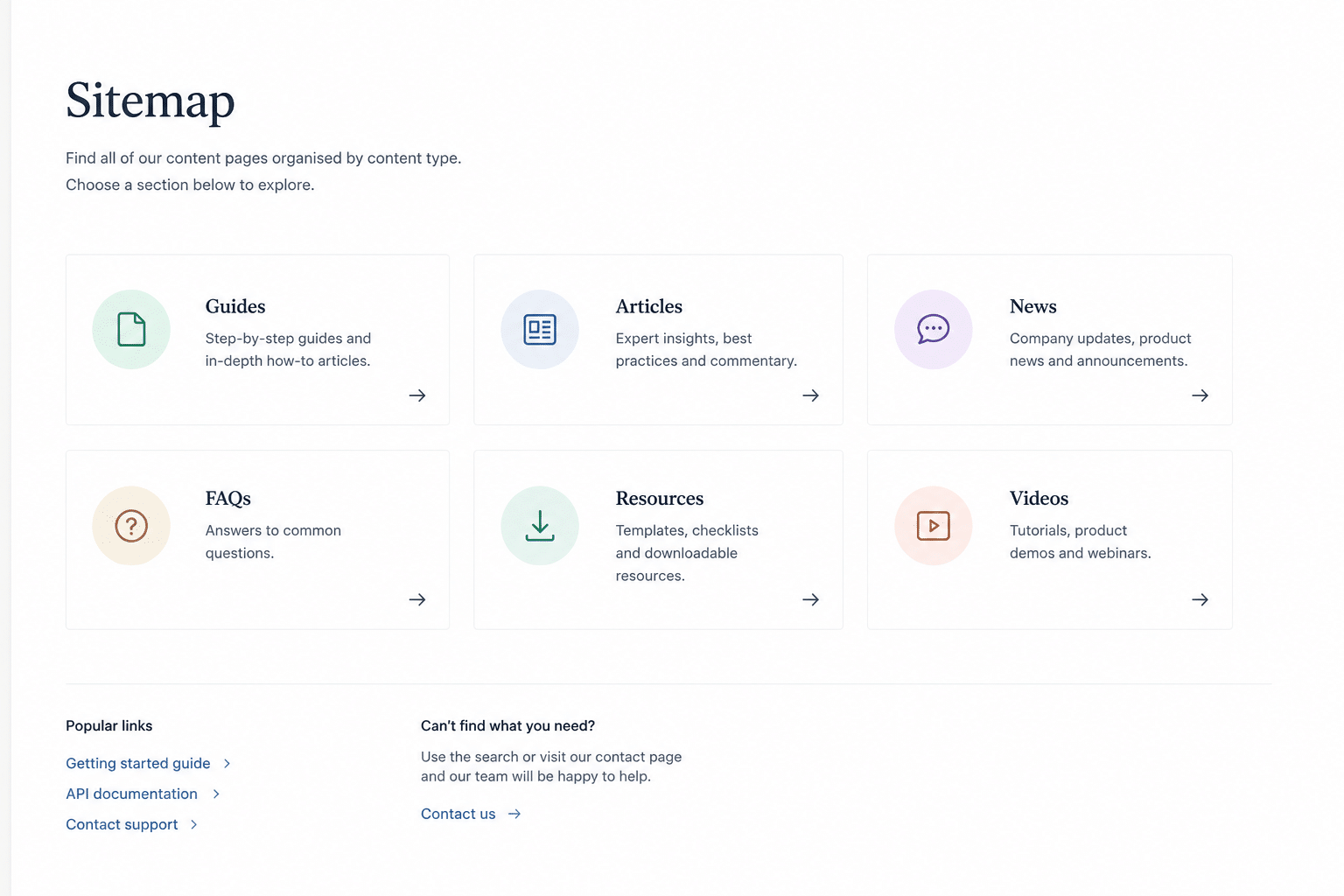
Structure it as an index plus sub-pages. Mirror how XML sitemap indexes work: one landing page linking out to one sub-page per content type, each sub-page listing only its own content type. That avoids a single page with thousands of links, which is poor for both performance and link-equity distribution, and gives a structure that’s easy to audit later.
Add reciprocal links. The index page should link down to every sub-page, and each sub-page should link back up to the index. Without that, a visitor or crawler landing on a sub-page directly has no path back to the rest of the sitemap.
Finding the correct post type slug
This trips people up more than anything else in the build. Don’t assume the slug from the XML sitemap filename (portfolio-sitemap.xml might actually be registered as portfolio-project), the permalink structure (URL prefixes can be customised separately from the registered slug), or the admin menu label. The reliable method is to click the content type’s menu item in wp-admin and read the post_type= value in the resulting URL. It’s also worth checking whether what you’re looking at is actually a taxonomy rather than a post type, since low entry counts and category-style naming are the giveaway. Taxonomies need get_terms(), not WP_Query, and won’t work with this shortcode as written.
Implementation checklist
- Identify orphan pages via a crawl audit, run in list mode against the XML sitemaps.
- List every content type from the XML sitemap index and confirm each one’s actual registered post type slug.
- For low-volume types, create a Page per type and add the WP Sitemap Page shortcode.
- For high-volume types, deploy the custom shortcode via WPCode and create a Page per type.
- Test on staging first: confirm rendering, pagination, and that caching is actually being hit by comparing first load against a reload.
- Confirm the noindex, follow tag renders correctly on paginated pages with a view-source check, since filter behaviour can vary by SEO plugin version.
- Build the sitemap index page with links to every sub-page, and reciprocal links back to the index on each sub-page.
- Add a footer link to the sitemap index wherever it fits the site’s structure.
- Submit the sitemap index in Google Search Console once live.
If your site has a batch of orphan pages sitting in the XML sitemap with nothing linking to them, that’s usually a quick audit to confirm and a build like this to fix properly. Get in touch if you want a technical SEO audit to see how many you’re carrying.