If you’re working on your SEO, one of the first technical questions you’ll ask is how to find website sitemap files and confirm they’re working correctly.
Your sitemap plays a critical role in helping search engines discover and understand your content. Without it, Google may still crawl your website — but the process can be slower and less efficient.
In this guide, we’ll explain what a sitemap is, where it’s usually located, how to find your sitemap URL, and what to do once you’ve found it.
What Is a Website Sitemap?
A sitemap is a structured file (usually XML format) that lists the important URLs on your website.
It acts as a roadmap for search engines, helping them:
- Discover new pages
- Understand site structure
- Identify priority content
- Crawl more efficiently
While Google can find pages through internal links, a sitemap reduces reliance on discovery alone and improves crawl clarity.
If you’re launching a new website, understanding how long Google takes to index a new website can help set expectations around visibility.
Where Is My Sitemap Located?
Most websites place their sitemap in a predictable location.
Try entering one of these into your browser:
- yourdomain.com/sitemap.xml
- yourdomain.com/sitemap_index.xml
- yourdomain.com/sitemap
For WordPress websites using common SEO plugins, the sitemap is typically auto-generated and located at:
yourdomain.com/sitemap_index.xml
Shopify websites usually generate a sitemap automatically at:
yourdomain.com/sitemap.xml
If you’re unsure which CMS your website runs on, your developer or hosting provider should be able to confirm.
How to Find Sitemap URL via Robots.txt
Another reliable method is checking your robots.txt file.
Visit:
yourdomain.com/robots.txt
Many websites include a direct sitemap reference inside this file, such as:
Sitemap: https://yourdomain.com/sitemap.xml
If it’s listed there, you’ve found your sitemap URL.
If it’s not listed, it doesn’t necessarily mean you don’t have one — but it’s a signal to investigate further.
What If I Can’t Find My Sitemap?
If the common URLs don’t work and robots.txt doesn’t reference it, possible reasons include:
- Your CMS hasn’t generated one
- A plugin isn’t configured
- The sitemap has been disabled
- The site is in staging mode
- Developer settings are blocking search engines
This is more common than most businesses realise — especially immediately after launch.
In those cases, your next step is either generating a sitemap through your CMS or creating one manually.
What Does a Sitemap Look Like?
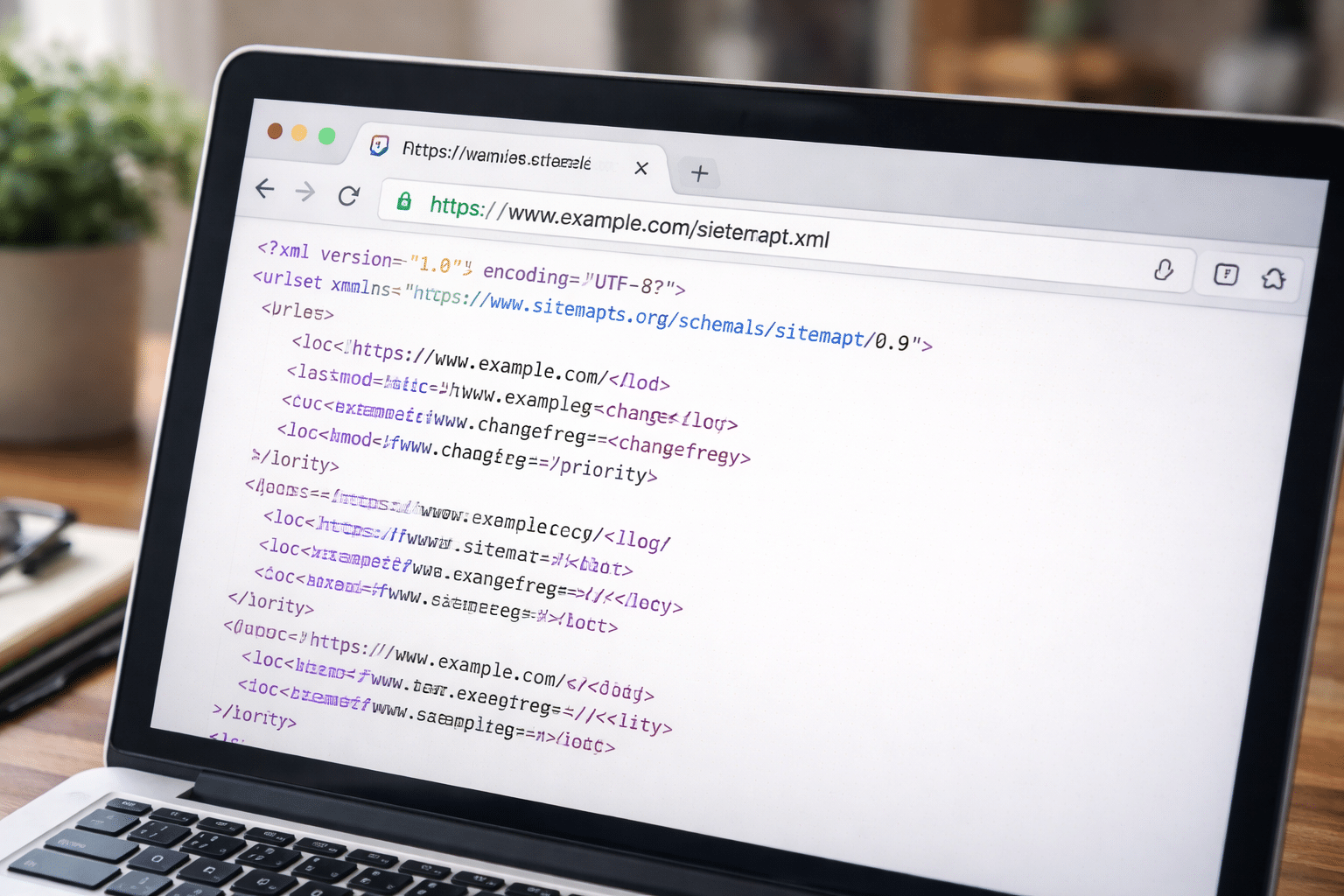
An XML sitemap is not designed for users — it’s designed for search engines.
It typically looks like structured code with URLs listed inside <url> tags.
You may see:
- URL location
- Last modified date
- Change frequency
- Priority
Don’t worry if it looks technical — what matters is that:
- It loads without errors
- It lists key pages
- It doesn’t return a 404
If it displays correctly in your browser, that’s a good sign.
Once You’ve Found It: What’s Next?
Finding your sitemap is only the first step.
Next, you should submit your sitemap to Google Search Console so Google can crawl it directly.
This ensures:
- Faster content discovery
- Clear indexing signals
- Crawl error monitoring
If you’re working with priority landing pages, you can also index individual pages in Search Console for more control.
Why Your Sitemap Matters for Indexing Speed
A sitemap does not guarantee indexing — but it improves crawl efficiency.
Without one, Google relies on:
- Internal links
- Backlinks
- External references
With one, Google receives a structured list of URLs.
This is particularly important for:
- New websites
- Large websites
- Ecommerce stores
- Sites with deep page structures
If you’re concerned about visibility delays, reviewing how long indexing can take will give you broader context around timelines.
Common Sitemap Issues to Watch For
Even if your sitemap exists, it can still cause problems.
Here are common technical issues:
- Broken URLs included
- Redirecting URLs listed
- Noindex pages included
- Missing important pages
- Sitemap not updating automatically
- Incorrect canonical URLs
Google may flag these inside Search Console under the “Sitemaps” or “Pages” report.
If errors appear, they should be resolved before relying on the sitemap as a crawl guide.
Do All Websites Need a Sitemap?
Technically, small websites with strong internal linking can be crawled without a sitemap.
However, best practice SEO strongly recommends having one.
Google itself recommends using sitemaps, especially for:
- New websites
- Large sites
- Websites with isolated pages
- Frequently updated content
For most businesses, it’s a low-effort technical safeguard that improves visibility reliability.
When to Get Professional Support
If you can’t locate your sitemap, or if you’re unsure whether it’s configured correctly, the issue often connects to:
- CMS setup
- Hosting configuration
- Technical SEO settings
- Developer implementation
Because Arvo operates across web development, hosting (AWS-backed environments), and technical SEO, we regularly audit sitemap configuration as part of post-launch optimisation and broader digital services in Brisbane and Australia-wide.
If you’re unsure whether your sitemap is helping or hindering your visibility, our team can review your setup and provide clear next steps.
Unsure whether your sitemap is correctly configured? Our team can review your setup and ensure it supports proper indexing.
Frequently Asked Questions
Where is my sitemap located?
Most websites place it at /sitemap.xml or /sitemap_index.xml. You can also check your robots.txt file to see if it’s referenced there.
What does a sitemap look like?
An XML sitemap appears as structured code listing URLs and metadata such as last modified dates. It is not designed for users but for search engines.
Do all websites have a sitemap?
Not automatically. Many CMS platforms generate one, but it may need to be enabled or configured properly.
How do I check if my sitemap is working?
Visit the sitemap URL in your browser. If it loads without errors and lists valid URLs, it’s functioning. You can also submit it in Search Console to monitor crawl status.