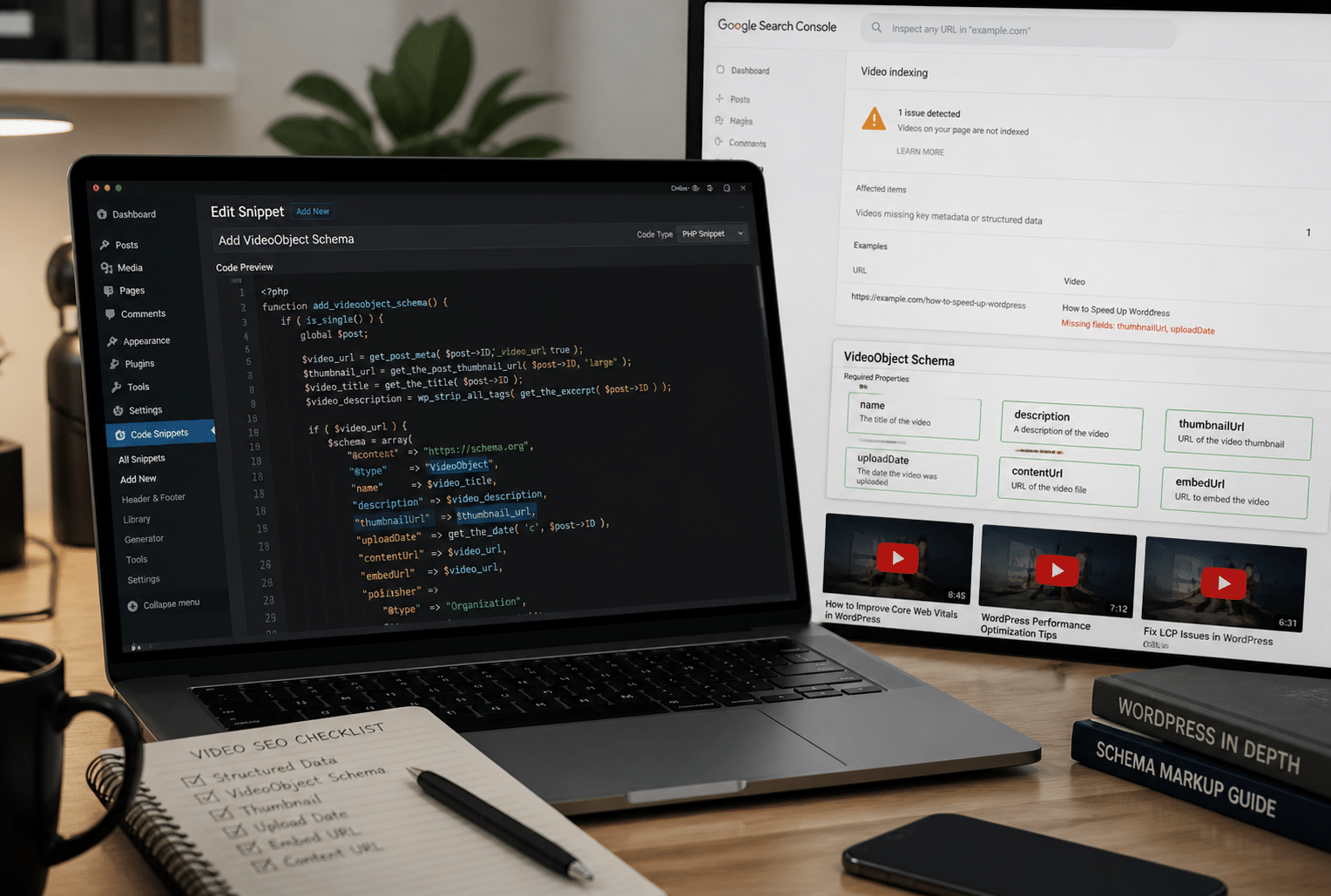
If Google Search Console has flagged your videos as unindexed due to a missing thumbnailUrl, you’re probably staring at a structured data problem that Yoast’s free plugin won’t solve. VideoObject schema is locked behind Yoast’s paid Video SEO add-on. For sites with a custom video post type, there’s a cleaner path anyway: two PHP snippets via WPCode that handle everything dynamically, including the archive.
This is the exact approach we used to fix video indexing for Suburban Futures, a Brisbane-based urbanism publication running WordPress with Elementor and a custom video post type. Here’s the full implementation.
Key Takeaways
- Google requires a valid thumbnailUrl in VideoObject schema to index video content for rich results.
- Yoast Free does not output VideoObject schema. You need either the paid Video SEO add-on (~USD $79/year) or a custom PHP solution.
- WPCode Lite (free) lets you add PHP snippets that fire conditionally on single video posts and archive pages.
- Two snippets are needed: one for VideoObject on individual posts, one for ItemList on the archive.
- The code in this post is working and tested, but field names and CPT slugs will vary by site. Review before deploying.
Why the Videos Weren’t Being Indexed
The Search Console notification Suburban Futures received was straightforward: “No thumbnail URL provided.” Google had found video content on the pages but the structured data either wasn’t present or wasn’t valid.
The site uses a custom post type (CPT) with the slug video, an archive at /video/, and individual posts at /video/post-slug/. Videos are YouTube embeds, with the watch URL stored in a custom field called link on each post.
Without a valid thumbnailUrl in the VideoObject schema, Google won’t index those posts as video content. Yoast Free outputs Article schema for CPT posts by default. It has no VideoObject output at all unless you’re on Yoast Premium with the Video SEO add-on.
Two Ways to Fix It
Option 1: Yoast Video SEO Add-on
Yoast’s paid add-on handles VideoObject schema automatically for self-hosted video and supports YouTube and Vimeo embeds. It’s ~USD $79/year and works well if you’re already in the Yoast ecosystem and want a managed solution. The trade-off is cost and dependency on the add-on continuing to support your embed type and CPT setup.
Option 2: WPCode PHP Snippets (what we used)
WPCode Lite is free and lets you add PHP snippets that fire based on conditional logic, including is_singular() and is_post_type_archive(). This gives you full control over what schema is output and when, with no ongoing licence cost. The trade-off is that the code needs to be written and maintained, and it won’t automatically update if your data structure changes.
For a site with a clear, stable CPT structure, Option 2 is the more flexible choice and what we’d recommend for developers comfortable with PHP.
The Implementation: Two WPCode Snippets
Before deploying either snippet, install WPCode Lite from the WordPress plugin directory. Once active, go to Code Snippets > Add Snippet > Add Your Custom Code > PHP Snippet.
Note on syntax: on the Suburban Futures server, PHP short array syntax ([]) caused a parse error in WPCode. If you see a syntax error on activation, switch [] to array() throughout. Both snippets below use array() to avoid this.
Snippet 1: VideoObject Schema on Individual Video Posts
This snippet fires only on singular posts of the video CPT. It pulls the post title, excerpt, featured image URL, and post date dynamically, then retrieves the YouTube watch URL from the link custom field and converts it to the /embed/ format Google requires for embedUrl.
A fallback is included: if no excerpt exists on the post, the title is used as the description. This avoids an empty description field, which Google flags as a non-critical warning. The better long-term fix is adding manual excerpts to each video post via the WP editor, which fully resolves the warning.
add_action( 'wp_head', function() {
    if ( ! is_singular( 'video' ) ) {
        return;
    }

    $post_id      = get_the_ID();
    $title        = get_the_title( $post_id );
    $excerpt      = get_the_excerpt( $post_id );
    $description  = ! empty( $excerpt ) ? $excerpt : $title;
    $thumbnail    = get_the_post_thumbnail_url( $post_id, 'full' );
    $upload_date  = get_the_date( 'c', $post_id );
    $watch_url    = get_post_meta( $post_id, 'link', true );
    $embed_url    = '';

    if ( $watch_url ) {
        if ( preg_match( '/youtube\.com\/watch\?v=([a-zA-Z0-9_-]+)/', $watch_url, $m ) ) {
            $embed_url = 'https://www.youtube.com/embed/' . $m[1];
        } elseif ( preg_match( '/youtu\.be\/([a-zA-Z0-9_-]+)/', $watch_url, $m ) ) {
            $embed_url = 'https://www.youtube.com/embed/' . $m[1];
        }
    }

    $schema = array(
        '@context'     => 'https://schema.org',
        '@type'        => 'VideoObject',
        'name'         => $title,
        'description'  => $description,
        'thumbnailUrl' => $thumbnail,
        'uploadDate'   => $upload_date,
        'embedUrl'     => $embed_url,
    );

    echo '<script type="application/ld+json">' . wp_json_encode( $schema ) . '</script>';
} );
What to check before you deploy this:
- The CPT slug in is_singular( ‘video’ ) must match your registered post type. If your CPT is registered as videos or film, update accordingly.
- The custom field name link in get_post_meta( $post_id, ‘link’, true ) must match the exact field key where the YouTube URL is stored on your posts. Check via the post editor or a plugin like Advanced Custom Fields.
- If you’re not using YouTube, the regex match won’t produce an embedUrl. You’ll need to adapt the URL conversion logic for Vimeo or self-hosted video.
Snippet 2: ItemList Schema on the Video Archive
This snippet fires on the CPT archive at /video/. It queries all published video posts and outputs an ItemList with a ListItem for each one, including its position and permalink. This tells Google “this page is a structured list of video content.”
The list is fully dynamic. New video posts are included automatically as they’re published, with no manual updates required to the schema.
add_action( 'wp_head', function() {
    if ( ! is_post_type_archive( 'video' ) ) {
        return;
    }

    $args = array(
        'post_type'      => 'video',
        'posts_per_page' => -1,
        'post_status'    => 'publish',
    );

    $videos   = get_posts( $args );
    $items    = array();
    $position = 1;

    foreach ( $videos as $video ) {
        $items[] = array(
            '@type'    => 'ListItem',
            'position' => $position,
            'url'      => get_permalink( $video->ID ),
        );
        $position++;
    }

    $schema = array(
        '@context'        => 'https://schema.org',
        '@type'           => 'ItemList',
        'itemListElement' => $items,
    );

    echo '<script type="application/ld+json">' . wp_json_encode( $schema ) . '</script>';
} );
What to check before you deploy this:
- Again, is_post_type_archive( ‘video’ ) and ‘post_type’ => ‘video’ both need to match your registered CPT slug.
- If your archive has a large number of posts, consider whether querying all of them on every page load is appropriate. For most small-to-medium video libraries, it’s fine.
The URL Change: /videos/ to /video/
During this implementation we found the original site had a static Elementor page at /videos/ that wasn’t serving the CPT archive. The CPT archive was at /video/ (WordPress pluralises CPT archive URLs differently depending on how the post type is registered).
We deleted the static /videos/ page and set a 301 redirect to /video/. This consolidates any existing link equity and ensures Google resolves to the canonical archive URL. If you’re in a similar situation, check whether your CPT archive is actually being served at the URL you think it is before implementing the ItemList snippet.
Validation and Reindexing
Once both snippets are active:
- Open Google’s Rich Results Test and run it against one of your individual video post URLs. You should see a VideoObject detected with 1 valid item. A warning about a missing description field is non-critical and resolves once you’ve added excerpts to posts.
- Run the Rich Results Test against your archive URL. You should see an ItemList detected.
- In Search Console, open the Video Indexing report. If the original issue was the missing thumbnailUrl, request validation once the snippets are live.
- Field data in Search Console typically takes up to 28 days to update after a fix. If you’re watching for a change in indexed video count, give it that window before assuming something is still broken.
Frequently Asked Questions
Does this work if my videos aren't on YouTube?
The VideoObject schema itself is platform-agnostic. The regex in Snippet 1 handles YouTube watch URLs specifically. If you’re using Vimeo, self-hosted video, or another provider, you’ll need to adapt the embedUrl logic. For Vimeo, you’d match against vimeo.com/ and convert to player.vimeo.com/video/. For self-hosted video, contentUrl is more appropriate than embedUrl.
Do I need both snippets, or just the VideoObject one?
Why not just use Yoast Premium?
What if WPCode throws a parse error when I activate the snippet?
This is usually the short array syntax issue mentioned above. Replace all [] instances with array() throughout the snippet. If the error persists, copy the error message from your PHP error log or the WP admin notice and look for the line number indicated.
Will these snippets conflict with Yoast's own schema output?
Yoast Free outputs Article or WebPage schema on CPT posts depending on how you’ve configured it. These snippets add VideoObject schema separately in the wp_head hook. Having both on the page is fine, Google handles multiple schema blocks, but review your Rich Results Test output to make sure there’s no conflicting or duplicated VideoObject if you do add Yoast Premium later.
Need help with your WordPress schema setup or getting your video content indexed? Talk to the Arvo team.