If you’ve just launched a new site, one of the first questions you’ll ask is: how long for Google to index a new site?
It’s a fair question — you’ve invested in design, development, and content, and now you want visibility.
The honest answer? It depends.
Google can index a new website in a few days. In other cases, it can take several weeks. Understanding why requires knowing how Google actually discovers and processes websites.
Let’s break it down properly.
Crawling vs Indexing: What’s the Difference?
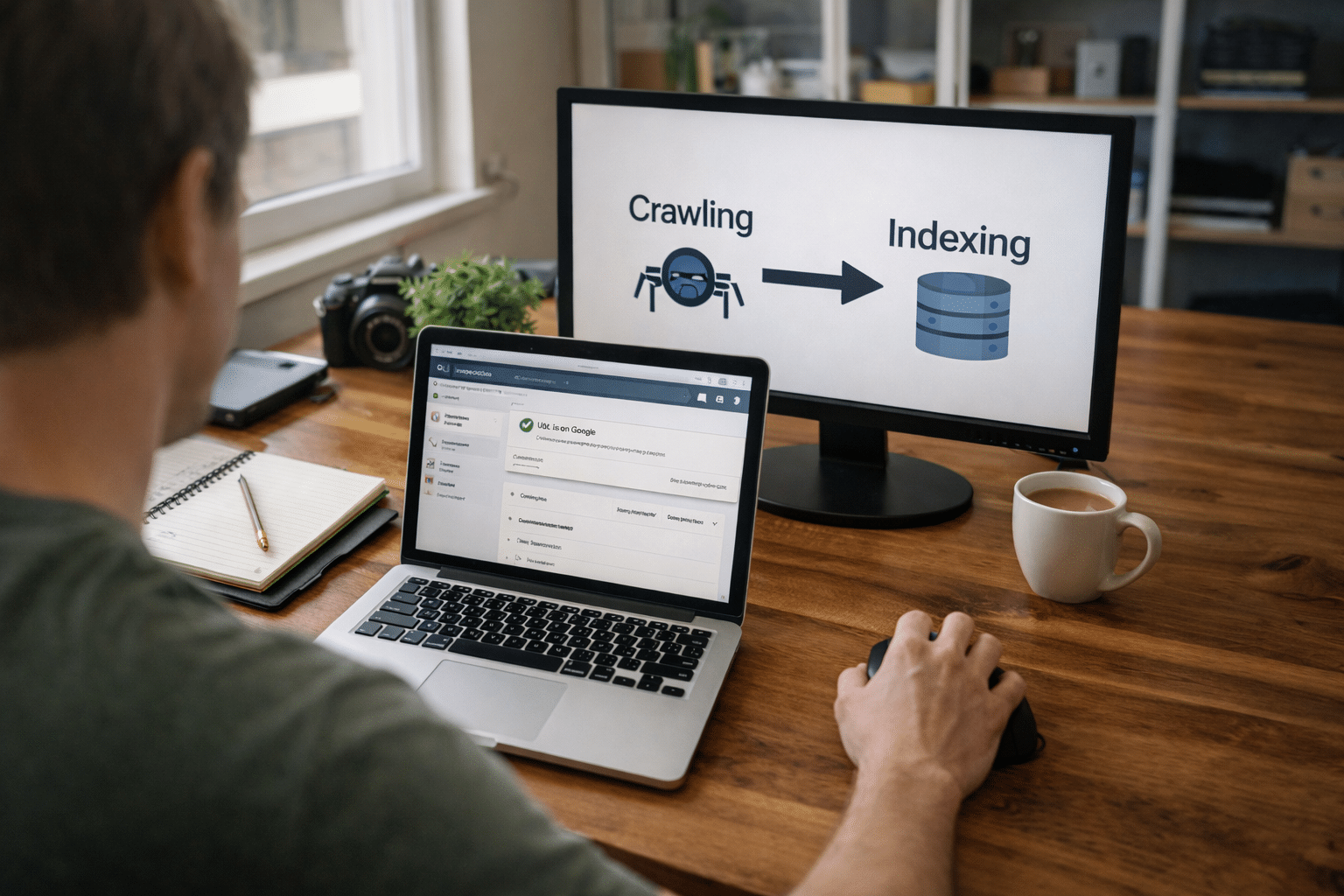
Many people use “crawling” and “indexing” interchangeably, but they are not the same thing.
Crawling is when Googlebot discovers and scans your website.
Indexing is when Google decides to store and rank that content in its search results.
Your site can be crawled but not indexed.
That distinction matters.
Google first needs a way to find your website. This often happens through links, manual submission, or a sitemap. A sitemap is essentially a structured list of your URLs — if you’re unsure where yours is located, here’s how to find your website’s sitemap.
Once Google crawls your pages, it evaluates:
- Content quality
- Technical structure
- Duplicate signals
- Crawl accessibility
- Page experience
Only then does indexing happen.
Realistic Indexing Timelines for New Websites
For a brand-new domain with no existing authority:
- Fast cases: 3–7 days
- Typical range: 1–3 weeks
- Slower cases: 4+ weeks
Why the variation?
Google prioritises crawling based on perceived value and trust. Established domains with backlinks get crawled faster. Brand-new domains without links or signals may wait longer.
If your site is small (5–10 pages), cleanly built, and technically sound, indexing is usually quicker.
If your site is large, complex, or has structural issues, delays are more common.
Submitting your sitemap and properly configuring Search Console significantly improves early discovery.
What Affects How Quickly Google Indexes Your Site?
Several technical and strategic factors influence indexing speed.
1. Domain Authority and Trust
New domains start with zero authority. Google has no historical trust data, so it proceeds cautiously.
Backlinks from reputable sites can accelerate crawling frequency.
2. Technical Configuration
Common technical blockers include:
- Noindex meta tags
- Incorrect robots.txt rules
- Broken canonical tags
- Poor internal linking
- Slow hosting performance
Even a single misplaced “noindex” directive can stop your site appearing altogether.
3. Sitemap Setup
A properly configured XML sitemap acts as a roadmap for Google.
After locating it, you should submit your sitemap in Google Search Console to ensure Google is aware of your pages.
Without a sitemap, Google relies purely on link discovery, which can slow things down.
4. Site Structure and Internal Linking
Google crawls through links.
If your internal linking is weak or pages are orphaned, Google may not find them efficiently.
Clear navigation, logical hierarchy, and strong contextual linking improve crawl depth.
5. Hosting and Server Performance
Unstable servers, frequent downtime, or slow response times reduce crawl efficiency.
At Arvo, many indexing delays we see stem from hosting misconfiguration rather than content problems — particularly on low-quality shared servers.
How to Speed Up Google Indexing
While you can’t force Google to index instantly, you can improve the process.
Here are practical steps:
- Verify your domain in Google Search Console.
- Ensure your sitemap is accessible.
- Submit the sitemap through Search Console.
- Request indexing manually for priority pages.
- Check for crawl errors.
If a specific page hasn’t appeared, you can request indexing manually using the URL Inspection tool.
This doesn’t guarantee instant indexing, but it signals to Google that the page is ready for review.
How Do You Know If Google Has Indexed Your Site?
There are two simple methods.
Method 1: Site Search
Type into Google:
site:yourdomain.com
If pages appear, they’re indexed.
Method 2: Google Search Console
In the URL Inspection tool, you can check whether a specific page is:
- Indexed
- Discovered but not indexed
- Crawled but not indexed
- Blocked
Search Console provides far more reliable diagnostics than manual checking alone.
When to Be Patient — and When to Worry
Some delay is normal.
If your site is less than two weeks old and technically clean, waiting is reasonable.
However, you should investigate if:
- No pages are indexed after 3–4 weeks
- Search Console shows crawl errors
- Pages are “Discovered – currently not indexed” for extended periods
- Important pages are excluded
Persistent issues often relate to configuration errors.
If you suspect a deeper issue, reviewing why Google isn’t indexing your website can help identify common technical blockers.
Common Myths About Google Indexing
Let’s clear up a few misconceptions.
Myth: Submitting a sitemap guarantees indexing.
It improves discovery, but Google still evaluates quality.
Myth: You need backlinks before indexing.
Backlinks help, but Google can index without them.
Myth: Paying for Google Ads speeds up indexing.
Ads and organic indexing are separate systems.
Understanding these differences prevents unnecessary panic or wasted spend.
Indexing Is Technical — But It Shouldn’t Be Confusing
For startups and SMBs, indexing delays are often caused by:
- Developer staging settings left active
- CMS defaults accidentally set to “discourage search engines”
- Poor hosting configuration
- Missing sitemap submissions
These are solvable issues.
But they require structured diagnosis.
As a Brisbane-based digital agency offering integrated web development, hosting, and technical SEO support, we regularly assist businesses post-launch to ensure their websites are correctly discoverable and configured.
If your new website isn’t appearing — or you want to ensure it’s set up properly from day one — our team can help.
Need help getting your new website indexed correctly? Speak with our Brisbane-based digital team for technical SEO support and structured Search Console setup.
Frequently Asked Questions
How do I know if Google has indexed my site?
Use the site: search operator or check the URL Inspection tool in Google Search Console. Search Console provides more accurate indexing status data.
Why is my new website not appearing on Google?
Common reasons include noindex tags, robots.txt blocks, crawl errors, weak internal linking, or simply insufficient time since launch.
Does submitting a sitemap speed up indexing?
Submitting a sitemap improves discovery and crawl efficiency, but it does not guarantee indexing. Google still evaluates content quality and technical integrity.
Can I request Google to crawl my site?
Yes. You can request indexing manually through the URL Inspection tool in Search Console. This prompts Google to re-crawl a specific page.